
Help center › Houses
Invite members
By @username, by phone number, or from your contacts.
Open the house, go to Members and tap Invite member.
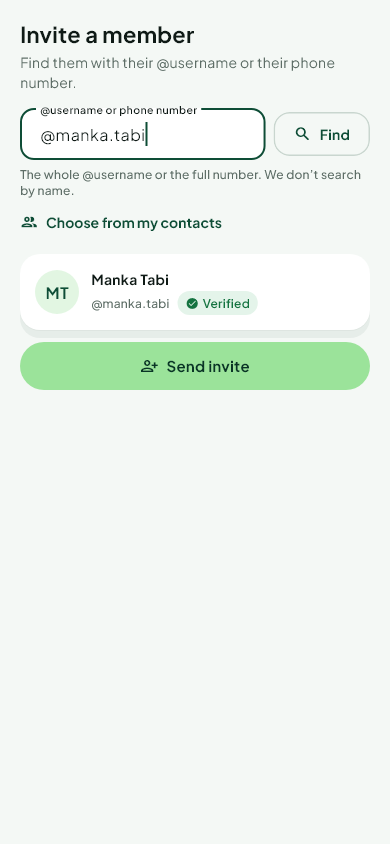 By @username — type the whole @username. You see their name, photo and whether they are verified, then send the invite.
By phone number — type the full number. We answer We’ll notify this number, whoever it belongs to. If they are on Njangi Estate they get the invite in the app; if not, they get an SMS. You see their name once they accept.
From your contacts (app) — tap Choose from my contacts and pick one person. The app never reads your whole address book.
You can also send the invite yourself by WhatsApp or SMS: the message is ready, with the house code and link.
We do not search by name, and members cannot be browsed.
Was this helpful?
Still stuck? Write to Support